Facial recognition digital signage AI AudienceSense turns every face into the right content

AI AudienceSense turns every face into the right content
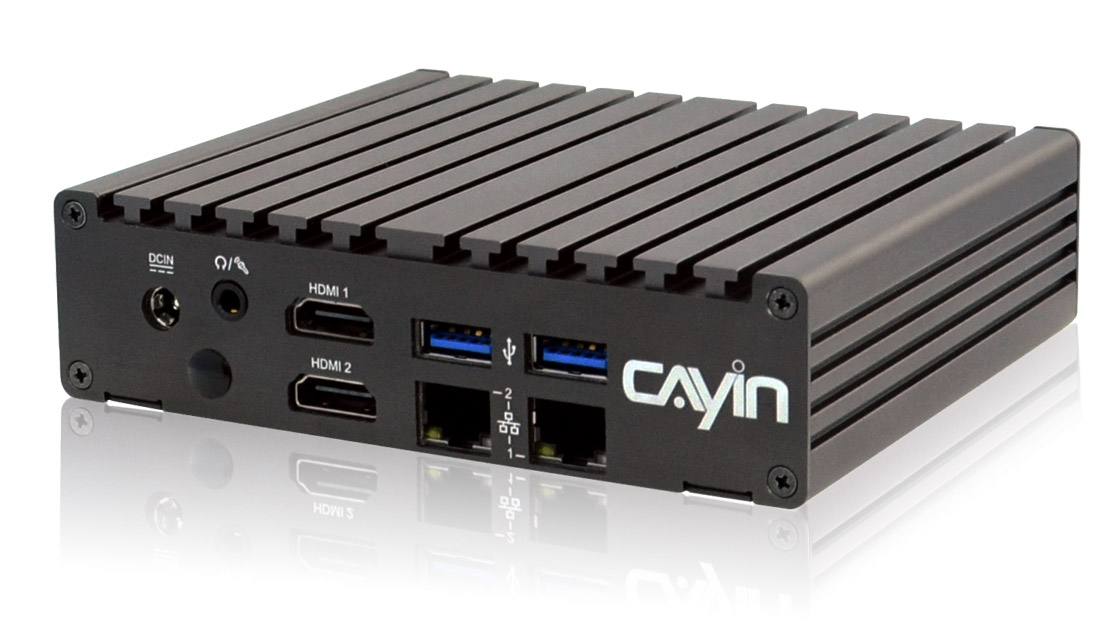
A screen that plays the same loop all day says nothing to the person standing in front of it. CAYIN SMP players come with built-in AI AudienceSense facial recognition, so a connected camera lets the player detect a viewer's gender, age and headcount in real time and switch to matching content automatically.
- Works with one built-in camera by default; scale up to 4 cameras for wider coverage or multiple locations, compatible with QNAP QVR Face Tiger and QVR Face Insight.
- Analyzes gender, age and the number of viewers in real time, with no face images or personal data stored.
- Switches back to the default main loop automatically the moment no viewer is detected.
- Add a CAYIN CMS server to push new targeted content and schedules to every player from one place.
How AI AudienceSense works
Solution structure, two setups. With the SMP Player only, one camera connects over a USB, wireless or LAN port straight to the player, which has AI AudienceSense built in. With a NAS, up to 4 cameras connect to a QNAP NAS running QVR Face Tiger or Face Insight, which passes the result to the player. In both setups the viewer's gender, age and headcount are detected in real time without storing any face image or personal data, and the player shows matched content on the digital signage screen.
See it in action
Three ways AI AudienceSense matches content
A viewer's detected gender, age and headcount can each trigger a different piece of content, right on the same SMP player.
Gender
Show a version of an ad or promotion matched to a detected male or female viewer.
Age
Switch to content designed for a detected age range, from kids to seniors.
Number of viewers
Trigger group-oriented content, such as a family promotion, when several viewers are detected together.
Privacy by design
AI AudienceSense analyzes the camera feed in real time on the player itself. No face image and no personally identifiable information is stored at any point; the player only produces anonymized statistics, such as a detected age range, gender and the number of viewers, used to pick which content to show.
To review AI AudienceSense against your own privacy or compliance requirements before deployment, contact us.
Camera and QNAP integration

Each SMP player works with one built-in camera by default. When wider coverage or multiple locations are needed, up to 4 cameras can be integrated, compatible with QNAP QVR Face Tiger and QVR Face Insight, making the setup suitable for retail, food & beverage, healthcare and finance environments.
Manage targeted content across every screen
Every SMP player runs AI AudienceSense on its own. When you need to push new targeted content and schedules to every screen at once, add a CAYIN CMS server.

CMS-SE
Robustie SolutionContent management software on your own server, so targeted content and schedules stay on your network.
Learn more >
CMS-WS
Flexie SolutionCloud content management with no hardware to run. Push new targeted content to every screen from anywhere.
Learn more >Proven in the field
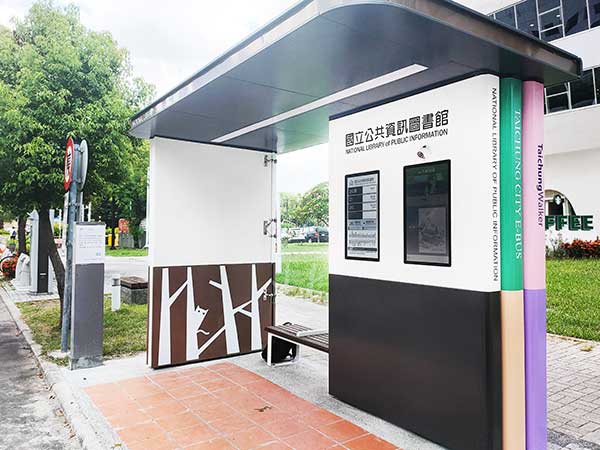
Taichung City Government Smart Bus Stop
A CAYIN SMP-2310 player and CMS-60 server, paired with QNAP facial recognition, detect each viewer's gender, age and headcount at a public library bus stop and show matching content, switching back to the default loop once the audience leaves.
View case study >Frequently asked questions
What is facial recognition digital signage with AI AudienceSense?
It is a CAYIN SMP player with a built-in AI AudienceSense feature. A connected camera lets the player detect a viewer's gender, age and headcount in real time and switch to matching content automatically, instead of playing the same loop to everyone.
Which players support AI AudienceSense?
The CAYIN SMP-8100, SMP-2400 and SMP-2200 all support built-in AI AudienceSense facial recognition.
How many cameras can one player use?
Each player works with one built-in camera by default. If wider coverage or multiple locations are needed, up to 4 cameras can be integrated, compatible with QNAP QVR Face Tiger and QVR Face Insight.
Does it store faces or personal data?
No. AI AudienceSense analyzes the camera feed in real time and does not store face images or personal data. It only produces anonymized statistics, such as detected age range, gender and the number of viewers.
What happens when nobody is in front of the screen?
The player automatically switches back to its default main loop content the moment no viewer is detected, so the screen never sits idle or stuck on a previous result.
Can I manage AI AudienceSense content across many screens?
Yes. Add a CAYIN CMS server, such as CMS-SE or CMS-WS, to push new targeted content and schedules to every AI AudienceSense player from one place.
Is there a real deployment example?
Yes. Taichung City Government paired a CAYIN SMP-2310 player and CMS-60 server with QNAP facial recognition at a smart bus stop, showing content matched to each viewer's detected gender, age and headcount.